Showing posts with label web designing. Show all posts

17 Best Book's Ever For Web Designer & Creatives 2016 Updated.


17 Best Book's Ever For Web Designer & Creatives


Today i wanted to  share Some Of Cool Designing concept and Productivity Books For Web-designers/ designers only.


The End of Print: The Grafik Design of David Carson
The End of Print is the definitive statement of the work of the great iconoclast designer, David Carson. In print for the first time in several years, this classic book has itself become part of the history of graphic design. It features work from the magazines where Carson first made his mark – including Transworld Skateboarding, Surfer, Beach Culture and Ray Gun – as well as his instantly recognizable advertisements for clients such as Nike, Pepsi, MTV and Sony. Lewis Blackwell’s text includes an interview in which Carson examines the origins of his approach and discusses the extreme reactions to his work.

About the Author

Lewis Blackwell is head of creative direction at Getty Images. Formerly publisher and editor of Creative Review he is the author and editor of numerous critically acclaimed books including David Carson: 2ndsightG1 with Neville Brody andSoon: The Future of Brands with Chris Ashworth. A regular writer and commentator on graphic design and typography advertising film video and multimedia, Blackwell lectures and chairs awards juries internationally.

David Carson has been described as the most influential graphic designer working today. He directs commercials and short films and lectures internationally. Carson was awarded “best use of design and photography” from the International Center for Photography, New York. Newsweek magazine said Carson “changed the face of graphic design”. Carson’s previous publications include David Carson: 2ndsight, a winner of the 77th Annual Art Directors Awards.
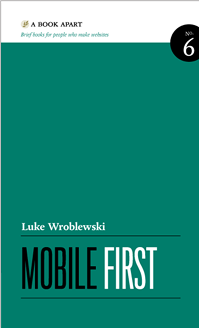


Mobile First - Luke Wroblewski
For years, most Web teams have designed products and information for the desktop/laptop PC. For these teams, mobile (if it even happened) was a barebones port of the desktop version. Sadly, this approach actually made sense for a while. Browsing the Web on mobile phones was painful; carriers controlled access to the Web on their devices; and mobile network speeds often made everything grind to a halt. So few people used the Web on mobiles and those that did were frequently faced with an unpleasant experience.
But things have changed so dramatically over the past few years that starting with the desktop may be an increasingly backwards way of thinking about a Web product. Designing for mobile first not only prepares you for the explosive growth and opportunities in this space, it forces you to focus and enables you to innovate.
                     DOWNLOAD PDF EBOOK


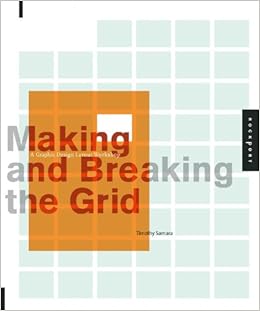
        Making and Breaking the Grid - Timothy Samara
For designers working in every medium, layout is arguable the most basic, and most important, element. Effective layout is essential to communication and enables the end user to not only be drawn in with an innovative design but to digest information easily.Making and Breaking the Grid is a comprehensive layout design workshop that assumes that in order to effectively break the rules of grid-based design, one must first understand those rules and see them applies to real-world projects.


Text reveals top designers' work in process and rationale. Projects with similar characteristics are linked through a simple notational system that encourages exploration and comparison of structure ideas. Also included are historical overviews that summarize the development of layout concepts, both grid-based and non-grid based, in modern design practice.


                                    DOWNLOAD PDF BOOK


Don't Make Me Think, Revisited: A Common Sense Approach to Web Usability  

When I wrote Don’t Make Me Think, my intent was to help people learn to think like a usability expert: to ask the same questions that I have in mind when I’m trying to make something more usable.
I believed that with a little bit of instruction most people could do a lot of what I do themselves, since much of it just seems like common sense once you hear it explained.
It’s sold over 400,000 copies in twenty languages, and people have said many very nice things about it, like this:
After reading it over a couple of hours and putting its ideas to work for the past five years, I can say it has done more to improve my abilities as a Web designer than any other book.
Jeffrey Zeldman, author of

Designing with Web Standards
And now, after 13 years, I’ve finally taken the leap and done a major update.
Why has it been so popular?
  • It’s short. I wrote it for busy people who don't do usability for a living, so it only covers what you really need to know. You can read it on a long airplane ride.
  • It’s an easy, engaging read. I get email from people saying things like “My father-in-law, who barely uses a computer, picked up my copy and read the whole thing.”
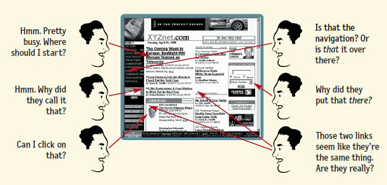
Cartoon of user puzzled by Web page

  • It’s a great introduction for beginners. These days, it’s usually the first book people read about usability.
  • ...and for bosses. A story I hear constantly: “I gave it to my boss. He read it–because it’s short–and finally ‘got’ what I’ve been trying to tell him for years about usability. Then he bought copies for our whole team.”
Who should read it?

Reading the book on a planeDon't ask me. Ask the Amazon reviewer who said:
“Absolutely everyone should read this book. The internet would be a far better place.”

FAQ

How is this different from the 2nd edition?
Good question. I ended up rewriting a lot more than I expected, including a whole new chapter about usability for mobile web sites and apps. And the examples are now from the current century.
I’ve been doing Web design [or development, marketing, etc.] for a long time. Won’t this be too basic for me?
As one Amazon reviewer said:
“If you’re new to web design, you’ll learn TONS; if you’re a seasoned pro, you’ll get a solid refresher and maybe even pick up on a few new things.”
A lot of Web professionals tell me they leaf through it again every time they start a new project, just to remind themselves of all the “common sense” that they tend to forget.
What’s the difference between this book and your other one?
Don’t Make Me Think explains what everyone should know about usability.
Rocket Surgery Made Easy explains how to do your own usability testing.


Show Your Work!: 10 Ways to Share Your Creativity and Get Discovered Description

Review

"[Show Your Work is] timeless; readers can return to it repeatedly throughout life and still glean useful ideas and tips... Anyone starting out (or starting over)...will find upbeat encouragement here."

--Library Journal 


“Sassy and spot-on.” 

--Publishers Weekly

Review

“Austin Kleon is one of the brightest new minds on the creative landscape. SHOW YOUR WORK! demonstrates why. With simple yet profound insights, and an array of his amazing images, he casts aside old stereotypes of the creative life and tells what it’s really like.”

—DANIEL H. PINK, author of To Sell Is Human and Drive


Layout Workbook is one of five volumes in Rockport's series of practical and inspirational workbooks that cover the fundamental areas of the graphic design business. In this edition, author Kristin Cullen tackles the often perplexing job of nailing down a layout that works.
More than a collection of great examples of layout, this book is an invaluable resource for students, designers, and creative professionals who seek design understanding and inspiration. The book illuminates the broad category of layout, communicating specifically what it takes to design with excellence. It also addresses the heart of design-the how and why of the creative process.
Cullen approaches layout with a series of step-by-step fundamental chapters (a "how-to" of layout) addressing topics such as The Function of Design, Inspiration, The Design Process, Intuition, Structure and Organization, The Interaction of Visual Elements, Typography, and Design Analysis. The book offers inspirational quotations and a unique, progressive design that truly reflects its content.


About the Author

Timothy Samara is a graphic designer and educator working in New York City. His 15-year career, focused primarily on visual identity development and information design, includes adverse project history - from branding systems and user interfaces to books, animation, and architectural work - for a wide range of corporations and not-for-profit organisations.

This latest volume in Rockport's Workbook series, Publication Design Workbook is packed with information regarding the ins and outs of publication design. The media featured includes magazines, literature systems, newsletters, exhibition catalogs, annual reports, newspapers, and retail catalogs. Both current and historical approaches are provided to give readers a complete background on design style, application, and techniques involved in creating effective publications.
Readers will develop a clear understanding of publication design through a comprehensive and accessible workshop-style format. Fundamentals of form and content are included, along with diagrams to further textual understanding. This is the most complete book for designers on applied publication design principles combined with an awe-inspiring collection of the best work from around the world.


Adhering to certain layout and grids standards and principles is important for any job from brochures, to annual reports, to posters, to websites, to publications. However, knowing how to bend the rules and make certain grids work for the job at hand takes skill.


This book will outline and demonstrate basic layout/grid guidelines and rules through 100 entries including choosing the a typeface for the project, striving for rhythm and balance with type, combining typefaces, using special characters and kerning and legibility. These essentials of grid design are critical to the success of any job


101 Things I Learned in Architecture School - Matthew Frederick
his is a book that students of architecture will want to keep in the studio and in their backpacks. It is also a book they may want to keep out of view of their professors, for it expresses in clear and simple language things that tend to be murky and abstruse in the classroom. These 101 concise lessons in design, drawing, the creative process, and presentation -- from the basics of "How to Draw a Line" to the complexities of color theory -- provide a much-needed primer in architectural literacy, making concrete what too often is left nebulous or open-ended in the architecture curriculum. Each lesson utilizes a two-page format, with a brief explanation and an illustration that can range from diagrammatic to whimsical. The lesson on "How to Draw a Line" is illustrated by examples of good and bad lines; a lesson on the dangers of awkward floor level changes shows the television actor Dick Van Dyke in the midst of a pratfall; a discussion of the proportional differences between traditional and modern buildings features a drawing of a building split neatly in half between the two. Written by an architect and instructor who remembers well the fog of his own student days, " 101 Things I Learned in Architecture School "provides valuable guideposts for navigating the design studio and other classes in the architecture curriculum. Architecture graduates -- from young designers to experienced practitioners -- will turn to the book as well, for inspiration and a guide back to basics when solving a complex design problem. 


Start with Why - 
Simon Sinek


Start with Why offers a number of examples to support Sinek's ideas as well as providing ideas for how to check on if an action is following the "why." Sinek himself is a business consultant, but he avoids putting together a compilation of his favorite exercises (and of course, how they lead to success); instead, he focuses on his "why" and creates a book which is not about him. Apple is successful, but they did it without Sinek. What Sinek does is look at those who have succeeded, figures out why, and then passes those ideas on to us.
Start with Why is a must-read for leaders of any type, but also for anyone wanting to get back to basics. While Sinek resists the temptation to create a self-help book, it is not a stretch to see how he makes sure our personal actions reflect on our "why" and will only lead to a fuller life. Sinek is new in the business publishing world, but with this start his future books will be eagerly awaited.


Manage Your Day-to-Day - Jocelyn K. Glei


Stop doing busywork. Start doing your best work.
Are you over-extended, over-distracted, and overwhelmed? Do you work at a breakneck pace all day, only to find that you haven’t accomplished the most important things on your agenda when you leave the office?
The world has changed and the way we work has to change, too. With wisdom from 20 leading creative minds, Manage Your Day-to-Day will give you a toolkit for tackling the new challenges of a 24/7, always-on workplace.
Featuring contributions from: Dan Ariely, Leo Babauta, Scott Belsky, Lori Deschene, Aaron Dignan, Erin Rooney Doland, Seth Godin,Todd Henry, Christian Jarrett, Scott McDowell, Mark McGuinness, Cal Newport, Steven Pressfield, Gretchen Rubin, Stefan Sagmeister, Elizabeth G. Saunders, Tony Schwartz, Tiffany Shlain, Linda Stone, and James Victore. Plus, a foreword from Behance founder & CEO Scott Belsky.


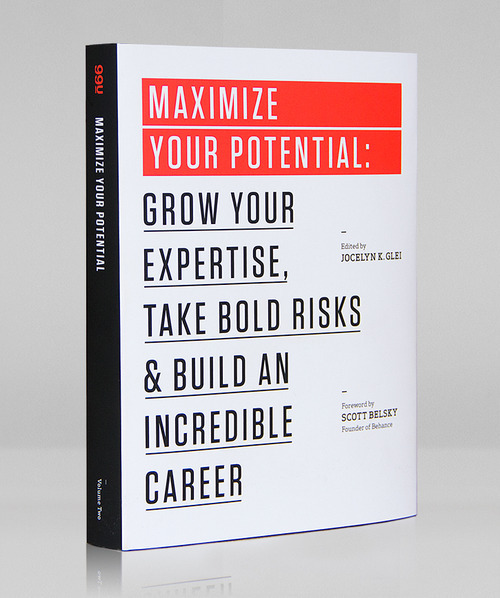
Maximize Your

 Potential - 
Jocelyn K. Glei

Success isn't about being the best.
It's about always getting better.

Can you step outside your comfort zone? Bounce back from failure? Build new skills? Tapping into your true potential is no idle endeavor. It demands creativity, dedication, and a whole lot of hustle.
With wisdom from 21 leading creative minds, 99U'sMaximize Your Potential will show you how to generate new opportunities, cultivate your creative expertise, build valuable relationships, and take bold, new risks so that you can utilize your talents to the fullest.


Graphic design school
Author:David Dabner, Sandra Stewart, Eric Zempol  
PUBLISHER: Wiley


Good Graphic design  Illustration's for  Beginner . great Examples From  books, to magazines, to websites, and even mobile devices. 


unflattening


AUTHOR: Nick Sousanis
PUBLISHER: Harvard University Press
To do this, Sousanis used “visual thinking,” with all of his pages styled in a similar variation like the one below.
Best described by its own book cover, this work of graphic art within a book on graphic art weaves “together diverse ways of seeing drawn from science, philosophy, art, literature and mythology, [by using] the collage-like capacity of comics to show that perception is always an active process of incorporating and reevaluating different vantage points.

Download Pdf


Design Elements:,Color Fundamentals


AUTHOR: Aaris Sherin
PUBLISHER: Rockport Publishers
This manual of color is a perfect resource for every designer. It’s chock-full of essential information, from color theory to pairings for real world projects. With this guide on your shelf, you will learn how to truly and effectively communicate with color and how best to use it in your client’s projects.


Logo Design Love : Creating Iconic Brand Identities


AUTHOR: David Airey
PUBLISHER: PeachPit Press
Discovering and understanding your client’s brand identity is critical to creating the perfect logo. David Airey, the author of Logo Design Love, takes the reader through the paces of how he and other designers go from concept to completed product with their logos.


Download Pdf


know your onions


UTHOR: Drew de Soto
PUBLISHER: BIS Publishers
Despite the somewhat silly title, this book is a seriously epic tutorial on the business aspects of design. As nice as it would be to do away with the business side of the graphic design process, most of us cannot afford to do that quite yet.
If you’re a working graphic designer, or plan to become one, this is your business bible. It will make sure you understand the less creative, but equally important, part of being a graphic designer: getting paid.


Download Pdf


The Design Of  Every Day Things


by Don Norman (Author)

An industry classic explaining how to design products for real human use.


Download Pdf


Thoughts On Design


relevant to today's designers.


houghts on Design

Aug 19, 2014
by Paul Rand and Michael Bierut


i hope You Enjoy Reading Books..


     Thank you For Reading .
If you like It please share & spread the word.


How To getting started with App Design


Before We Go Ahead Please Go Through this amazing Skool network video about Ux Design.


Before We Get in to The Designing App We must have Knowledge about Design Fundamentals and User Requirement and Product Feasibility with Specifications.
some of  key points of user interface fundamentals  highlighted below.

1. Know your user

“Obsess over customers: when given the choice between obsessing over competitors or customers, always obsess over customers. Start with customers and work backward.” – Jeff Bezos


Your user’s goals are your goals, so learn them. Restate them, repeat them. Then, learn about your user’s skills and experience, and what they need. Find out what interfaces they like and sit down and watch how they use them. Do not get carried away trying to keep up with the competition by mimicking trendy design styles or adding new features. By focusing on your user first, you will be able to create an interface that lets them achieve their goals.

2. Pay attention to patterns

Users spend the majority of their time on interfaces other than your own (Facebook, MySpace, Blogger, Bank of America, school/university, news websites, etc). There is no need to reinvent the wheel. Those interfaces may solve some of the same problems that users perceive within the one you are creating. By using familiar UI patterns, you will help your users feel at home.

3. Stay consistent

“The more users’ expectations prove right, the more they will feel in control of the system and the more they will like it.” Jakob Nielson
Your users need consistency. They need to know that once they learn to do something, they will be able to do it again. Language, layout, and design are just a few interface elements that need consistency. A consistent interface enables your users to have a better understanding of how things will work, increasing their efficiency.

4. Use visual hierarchy

“Designers can create normalcy out of chaos; they can clearly communicate ideas through the organizing and manipulating of words and pictures.” Jeffery Veen, The Art and Science of Web Design
Design your interface in a way that allows the user to focus on what is most important. The size, color, and placement of each element work together, creating a clear path to understanding your interface. A clear hierarchy will go great lengths in reducing the appearance of complexity (even when the actions themselves are complex).

5. Provide feedback

Your interface should at all times speak to your user, when his/her actions are both right and wrong or misunderstood. Always inform your users of actions, changes in state and errors, or exceptions that occur. Visual cues or simple messaging can show the user whether his or her actions have led to the expected result.
.

6. Be forgiving

No matter how clear your design is, people will make mistakes. Your UI should allow for and tolerate user error. Design ways for users to undo actions, and be forgiving with varied inputs (no one likes to start over because he/she put in the wrong birth date format). Also, if the user does cause an error, use your messaging as a teachable situation by showing what action was wrong, and ensure that she/he knows how to prevent the error from occurring again.
A great example can be seen in How to increase signups with easier captchas.

7. Empower your user

Once a user has become experienced with your interface, reward him/her and take off the training wheels. The breakdown of complex tasks into simple steps will become cumbersome and distracting. Providing more abstract ways, like keyboard shortcuts, to accomplish tasks will allow your design to get out of the way.

8. Speak their language

“If you think every pixel, every icon, every typeface matters, then you also need to believe every letter matters. ” – Getting Real
All interfaces require some level of copywriting. Keep things conversational, not sensational. Provide clear and concise labels for actions and keep your messaging simple. Your users will appreciate it, because they won’t hear you – they will hear themselves and/or their peers.

9. Keep it simple

A modern paradox is that it’s simpler to create complex interfaces because it’s so complex to simplify them.” Pär Almqvist
The best interface designs are invisible. They do not contain UI-bling or unnecessary elements. Instead, the necessary elements are succinct and make sense. Whenever you are thinking about adding a new feature or element to your interface, ask the question, “Does the user really need this?” or “Why does the user want this very clever animated gif?” Are you adding things because you like or want them? Never let your UI ego steal the show.

10. Keep moving forward

Grandpa Bud: If I gave up every time I failed, I would never have invented my fireproof pants!
[Pants burn up, revealing his underwear]
Grandpa Bud: Still working the kinks out a bit.


Design is a rather broad and vague term. When someone says "I'm a designer", it is not immediately clear what they actually do day to day. There are a number of different responsibilities encompassed by the umbrella term designer.
Design related roles span many industries, ranging from industrial design (e.g. cars, furniture) to the traditional print industry (e.g. magazines, publications), to the new media tech industry (e.g. websites, mobile apps). With the relatively recent influx of tech companies focused on creating interfaces for screens, many new design roles have emerged. Job titles like UX or UI designer are confusing to the uninitiated and unfamiliar even to designers who come from other industries.
Let's attempt to distill what each of these titles really mean within the context of the tech industry.

UX Designer (User Experience Designer)

UX designers are primarily concerned with how the product feels. A given design problem has no single right answer. UX designers tackle this challenge and explore many different approaches to solving a specific user problem. The broad responsibility of a UX designer is to ensure that the product logically flows from one step to the next. One way that a UX designer might do this is by conducting in-person user tests to observe one's behavior in the wild. By identifying verbal and non-verbal stumbling blocks, they refine and iterate to create the "best" user experience. An example project is creating a delightful onboarding flow for a new user.
"Define interaction models, user task flows, and UI specifications. Communicate scenarios, end-to-end experiences, interaction models, and screen designs to stakeholders. Work with our creative director and visual designers to incorporate the visual identity of Twitter into features. Develop and maintain design wireframes, mockups, and specifications as needed." - Experience Designer @ Twitter"


Example of an app's screens created by a UX designer. Credit: Kitchenware Pro Wireframe Kit by Neway Lau on Dribbble. https://dribbble.com/shots/1356038-Kitchenware-Pro-Wireframe-Kit
Example of an app's screens created by a UX designer. Credit: Kitchenware Pro Wireframe Kit by Neway Lau on Dribbble. 
https://dribbble.com/shots/1356038-Kitchenware-Pro-Wireframe-Kit

Deliverables: Wireframes of screens, Storyboards, Sitemap
Tools of the trade: Photoshop, Sketch, Illustrator, Fireworks, InVision
You might hear them say this in the wild:
"We should show users the 'Thank You' page once they have finished signing up."

UI Designer (User Interface Designer)

Unlike UX designers who are concerned with the overall feel of the product, user interface designers are particular about how the product is laid out. They are in charge of designing each screen or page with which a user interacts and ensuring that the UI visually communicates the path that a UX designer has laid out. For example, a UI designer creating an analytics dashboard might front load the most important content at the top, or decide whether a slider or a control knob makes the most intuitive sense to adjust a graph. UI designers are also typically responsible for creating a cohesive style guide and ensuring that a consistent design language is applied across the product. Maintaining consistency in visual elements and defining behavior such as how to display error or warning states fall under the purview of a UI designer.
"Concept and implement the visual language of Airbnb.com. Create and advance site-wide style guides." - UI Designer @ AirBnB
The boundary between UI and UX designers is fairly blurred and it is not uncommon for companies to opt to combine these roles.


A UI designer defines the overall layout and look & feel of an app. Credit: Metro Style Interface 4 by Ionut Zamfir on Dribbble. https://dribbble.com/shots/1239646-Metro-Style-Interface-4
A UI designer defines the overall layout and look & feel of an app. Credit: Metro Style Interface 4 by Ionut Zamfir on Dribbble. 
https://dribbble.com/shots/1239646-Metro-Style-Interface-4

Tools of the trade: Photoshop, Sketch, Illustrator, Fireworks
You might hear them say this in the wild:
"The login and sign up links should be moved to the top right corner."

Visual Designer (Graphic Designer)

A visual designer is the one who pushes pixels. If you ask a non-designer what a designer does, this is probably what comes to mind first. Visual designers are not concerned with how screens link to each other, nor how someone interacts with the product. Instead, their focus is on crafting beautiful icons, controls, and visual elements and making use of suitable typography. Visual designers sweat the small details that others overlook and frequently operate at the 4-8x zoom level in Photoshop.
"Produce high-quality visual designs — from concept to execution, including those for desktop, web, and mobile devices at a variety of resolutions (icons, graphics, and marketing materials). Create and iterate on assets that reflect a brand, enforce a language, and inject beauty and life into a product." - Visual Designer @ Google
It is also fairly common for UI designers to pull double duty and create the final pixel perfect assets. Some companies choose not to have a separate visual designer role.


A visual designer lays out guides and adjusts every single pixel to ensure that the end result is perfect. Credits: iOS 7 Guide Freebie PSD by Seevi kargwal on Dribbble. https://dribbble.com/shots/1111211-IOS-7-Guide-Freebie-PSD

Tools of the trade: Photoshop, Sketch
You might hear them say this in the wild:
"The kerning is off and the button should be 1 pixel to the left!"

Interaction Designer (Motion Designer)

Remember the subtle bouncing animation when you pull to refresh in the Mail app on your iPhone? That's the work of a Motion Designer. Unlike Visual Designers who usually deal with static assets, motion designers create animation inside an app. They deal with what the interface does after a user touches it. For example, they decide how a menu should slide in, what transition effects to use, and how a button should fan out. When done well, motion becomes an integral part of the interface by providing visual clues as to how to use the product.
"Proficiency in graphic design, motion graphics, digital art, a sensitivity to typography and color, a general awareness of materials/textures, and a practical grasp of animation. Knowledge of iOS, OS X, Photoshop and Illustrator as well as familiarity with Director (or equivalent), Quartz Composer (or equivalent), 3D computer modeling, motion graphics are required." - Interaction Designer @ Apple


An interaction designer is responsible for deciding how the menu should fan out. Credit: iOS Menu Concept by Jeremey Fleischer on Dribbble. https://dribbble.com/shots/1253976-iOS-Menu-Concept

Tools of the trade: AfterEffects, Core Composer, Flash, Origami
You might hear them say this in the wild:
"The menu should ease-in from the left in 800ms."

UX Researcher (User Researcher)

A UX researcher is the champion of a user's needs. The goal of a researcher is to answer the twin questions of who are our users andwhat do our users want . Typically, this role entails interviewing users, researching market data and gathering findings. Design is a process of constant iteration. Researchers may assist with this process by conducting A/B tests to tease out which design option best satisfies user needs. UX researchers are typically mainstays at large companies, where the access to a plethora of data gives them ample opportunity to draw statistically significant conclusions.
"Work closely with product teams to identify research topics. Design studies that address both user behavior and attitudes. Conduct research using a wide variety of qualitative methods and a subset of quantitative methods, such as surveys." - UX Researcher @ Facebook
UX designers also occasionally carry out the role of UX researchers.
Deliverables: User personas, A/B test results, Investigative user studies & interviews
Tools of the trade: Mic, Paper, Docs
You might hear them say this in the wild:
"From our research, a typical user..."

Front-End Developer (UI Developer)

Front-end developers are responsible for creating a functional implementation of a product's interface. Usually, a UI designer hands off a static mockup to the front-end developer who then translates it into a working, interactive experience. Front-end developers are also responsible for coding the visual interactions that the motion designer comes up with.
Tools of the trade: CSS, HTML, JavaScript
You might hear them say this in the wild:
"I'm using a 960px 12 column grid system."

Product Designer

Product designer is a catch-all term used to describe a designer who is generally involved in the creation of the look and feel of a product.
The role of a Product Designer isn't strictly well-defined and differs from one company to the next. A product designer may do minimal front-end coding, conduct user research, design interfaces, or create visual assets. From start to finish, a product designer helps identify the initial problem, sets benchmarks to address it, and then designs, tests and iterates on different solutions to it. Some companies that want more fluid collaboration within the various design roles opt to have this title to encourage the whole design team to collectively own the user experience, user research, and visual design elements.
Some companies use UX designer or simply designer as a catch-all term. Reading the job description is the best way to figure out how the company's design team divides the responsibilities.
"Own all facets of design: interaction, visual, product, prototyping. Create pixel-perfect mocks and code for new features across web and mobile." - Product Designer @ Pinterest

"I am looking for a designer"

This is the single most common phase I hear from new startups. What they are usually looking for is someone who can do everything described earlier. They want someone who can make pretty icons, create A/B tested landing sites, logically arrange UI elements on screen, and maybe even do some front-end development. Due to the broad sweeping scope of this role, we usually hear smaller companies asking to hire a "designer" rather than being specific in their needs.
Above article courtesy : treeehouse bold.pixelapse.com 


After You have idea about your app. next step would be  accomplishment of rough sketches and wire-framing   for  better understanding layout of app functionality and user interaction analogy.
 About  Wire-framing and prototyping tools found here.TOOLS here  


                                         Tutorial For  Ui/UX Design  in Photoshop  


After WE Get Our First Design. We can Go For Low Fidelity Mock-up in Photoshop or Sketch.

Before We Start Our App Design We Will Download Our Resources for ios 9 Ui Kit.

For Photoshop Download : ios 9 Ui Kit Here
For Sketch Download :       ios 9 Ui Kit  Here


You can Download Some Premium and Free Ui Kits Here .


after creating low fidelity mock-up screens and brainstorming ideas improved the user interface flow
with taking feedback from colleagues and experts about designs.

after improving app design for better mobility and user approach .we can make high fidelity mock up with ease, you can also make gif  of interaction with cool animation .which showa  forecast the userexp and ease of use in presentation before final deliverable s .


     Thank you For Reading .
If you like It please share & spread the word.


Popular Posts